Current Group
The Current Satellite Group panel shows the list of the satellites in the currently selected group:
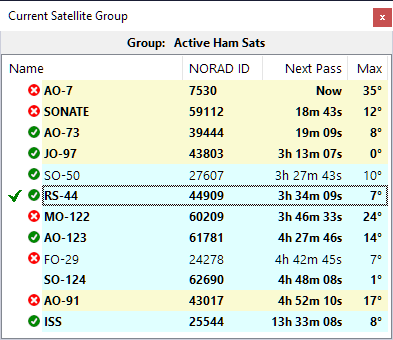
The green and red icons indicate real-time satellite status (active or inactive) according to the AMSAT Satellite Status service. Move the mouse cursor over the icon to see which transmitters were reported active, how long ago, and how many reports were received. See Satellite Data for details.
Click on a satellite to select it.
Move the mouse cursor over the satellite name to see the mouse tooltip.
Right-click on the satellite and click on Satellite Details in the popup menu to open the Satellite Details Wndow.